
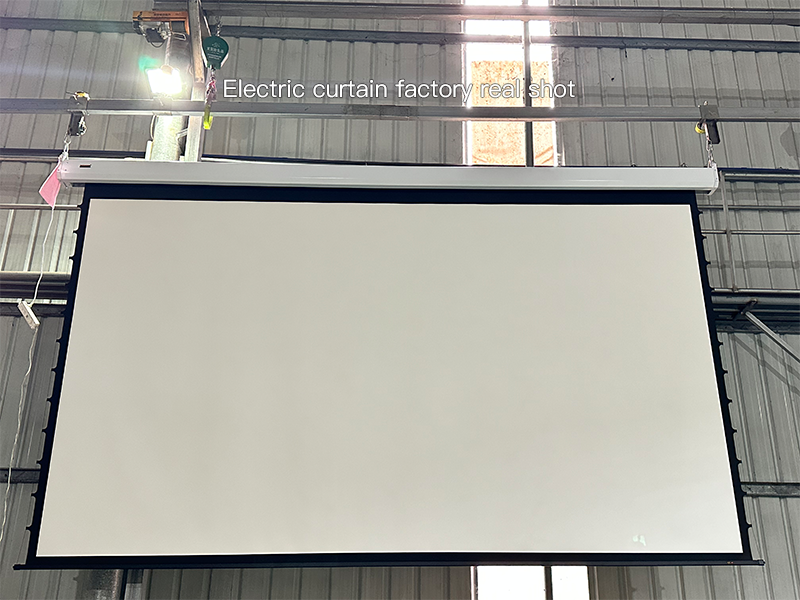
You’ve splurged on a high-performance projector, spent hours setting up your home theater or office conference room, and eagerly hit play—only to be let down by blurry edges, uneven brightness, or a screen that curls like a dried leaf. Chances are, you’ve fallen victim to low-quality projector screens—the silent killer of projection experiences that floods online marketplaces and budget stores. These screens look decent out of the box, but within months, their shoddy craftsmanship rears its ugly head, turning your investment into frustration. As someone who’s worked in custom projection screen manufacturing for years, we’re pulling back the curtain on the industry’s sneakiest cost-cutting tricks—so you can avoid wasting money on screens that don’t deliver.
1. Edge Curling & Dimensional Instability: When Your Screen Refuses to Stay Flat
Imagine hosting a movie night with friends, only to notice the top corners of the screen curling inward, cutting off the movie’s subtitles. That’s the first red flag of low-quality projector screens. Most cheap screens skip the fiberglass core that stabilizes high-grade options, relying instead on thin, flimsy PVC. When exposed to even slight temperature changes—like a sunny window or a room heater—this material expands and contracts wildly. Over time, the edges permanently curl, and the screen may even warp in the middle, making straight lines look wavy.
How to test it? Grab the screen’s edge between your thumb and forefinger. A quality screen feels firm and evenly thick, like a sturdy poster board. A cheap one will bend easily, with edges that feel thinner than the rest of the surface. Pro tip: Leave the screen unfolded for 24 hours before testing—low-quality projector screens for home theater often hide curling until they’re exposed to normal room conditions.
2. Chemical Odor & Toxic VOC Emissions: The Smell That Harms More Than Your Nose
Unbox a new screen and get hit with a pungent plastic or chemical stench that lingers for weeks? That’s not “new product smell”—it’s volatile organic compounds (VOCs) seeping from low-grade materials. For classrooms, offices, or home theaters where people spend hours breathing in enclosed spaces, these fumes aren’t just annoying—they can trigger headaches, eye irritation, and even long-term respiratory issues.
Reputable screens adhere to REACH (EU) and RoHS (global) standards to limit toxic emissions, but low-quality projector screens cut this corner to save pennies. How to protect yourself? Ask the seller for compliance certificates—if they hem and haw, walk away. And if you’re shopping in person, lean in and take a whiff: any strong, acrid smell means the screen is off-gassing harmful chemicals. This is especially critical for low-quality projector screens for business—you don’t want clients or employees feeling unwell during presentations.
3. Hot-spotting & Uneven Coating: When Bright Spots Ruin Your View
Ever watched a presentation where the center of the screen is so bright it washes out text, while the edges are dim and murky? That’s hot-spotting, a flaw caused by shoddy coating on low-quality projector screens. High-grade screens have a uniform gain (light reflection rate) of 1.0–1.3, ensuring consistent brightness from edge to edge. Cheap screens use a thin, uneven coating that can’t distribute light evenly—so you end up with a “flashlight effect” in the middle.
Testing this is a breeze. Grab your phone’s flashlight, hold it 6 inches from the screen, and shine it across the surface. A good screen will reflect light smoothly, with no bright patches or dark zones. A cheap one? You’ll see obvious hot spots where the light concentrates, and the edges will look dull. This is a dealbreaker for anyone who values clarity—whether you’re streaming movies or showing client data.
4. Noisy, Short-Lived Motors: The Hidden Risk of Motorized Screens
Motorized screens are a convenience—until the motor starts buzzing like a wasp nest or dies mid-operation. Low-quality motorized projector screens use tiny, underpowered motors that lack overheat protection. Run them a few times a day (say, for back-to-back office meetings), and they’ll burn out in 6–12 months. Imagine the embarrassment of your screen getting stuck halfway up during a crucial client pitch—all because the manufacturer skimped on the motor.
How to spot a dud? Ask for the motor’s noise rating and warranty. A quality motor operates at under 35dB (quieter than a library whisper) and comes with a 2+ year warranty. If you’re testing in-store, press the “up” button—listen for grinding, buzzing, or hesitation. A smooth, silent operation means the motor is built to last; any racket is a warning sign.
5. Light Leakage: When Your Screen Can’t Block the Dark
Turn off the lights, fire up your projector, and notice the wall behind the screen glowing like a nightlight? That’s light leakage, caused by a thin, cheap black backing on low-quality projector screens. The black backing’s job is to trap light, boosting contrast so colors pop and blacks look deep. Cheap screens use a flimsy backing that lets light seep through—so your 4K movie looks faded, even in a pitch-black room.
Testing this is simple: Hold a flashlight behind the screen and turn it on. A quality screen will block 99% of the light, with only a faint glow around the edges. A cheap one? The entire screen will light up, turning your dark home theater into a dimly lit room. This flaw is especially frustrating for home theater enthusiasts—all that money on a projector wasted by a screen that can’t do its basic job.
Common Issues of Low-Quality Projector Screens: At-a-Glance Table
| Issue | User Pain Point | Quick Test |
|---|---|---|
| Edge Curling | Warped frames,cut-off content | Bend edge gently—should spring back; no thin, flimsy edges |
| Toxic Odor | Headaches, eye irritation | Sniff screen—no strong chemical smell; ask for REACH/RoHS certs |
| Hot-spotting | Uneven brightness, washed-out text | Shine phone flashlight—no bright/dark patches |
| Noisy/Dying Motor | Embarrassing malfunctions, costly replacements | Check noise rating (<35dB) and 2+ year warranty |
| Light Leakage | Faded contrast, poor image quality | Hold flashlight behind—minimal glow; no full-screen illumination |
FAQ: Your Burning Questions Answered
Q: Can low-quality projector screens damage my projector?
A: Not directly, but they waste your projector’s potential. A 4K projector paired with a cheap screen will look like a 720p model—you’re not getting the clarity you paid for. Over time, you might even strain your eyes adjusting to blurry images.
Q: Is there a difference between cheap screens for home vs. office use?
A: The flaws are the same, but the impact varies. For home use, curling edges might be a nuisance; for offices, a dying motor during a client meeting could cost you business. Either way, low-quality projector screens for business or home aren’t worth the risk.
Q: I’m on a budget—can I find an affordable screen that’s not low-quality?
A: Absolutely! Budget-friendly screens exist, but they’ll have basic features (e.g., fixed frames instead of motorized) and won’t cut corners on core materials (fiberglass core, non-toxic coating). If a screen claims to have all the bells and whistles for half the price, it’s almost certainly a low-quality projector screen.
The Bottom Line: Don’t Let a Cheap Screen Ruin Your Projection
A projector is only as good as the screen it’s paired with. Spend $1,500 on a top-tier projector, then slap it on a $50 low-quality projector screen, and you’re throwing money down the drain. These screens might save you cash upfront, but they cost more in the long run—whether it’s replacing a dead motor, dealing with a warped screen, or ruining an important presentation.
At ZSM, we build custom projection screens that avoid these exact flaws. Every screen uses a fiberglass core to prevent curling, non-toxic coating to meet global safety standards, uniform gain for consistent brightness, and durable motors that stand the test of time. We don’t cut corners because we know a screen should enhance your projector—not hold it back.
Next time you’re shopping, keep these five signs in mind. A few quick tests can save you from buyer’s remorse. After all, the best screen isn’t the cheapest—it’s the one that works flawlessly, year after year, so you can focus on enjoying your movies, nailing your presentations, and getting the most out of your projector.
 Scan QR Code
ZSMSCR Facebook
ZSMSCR Instagram
ZSMSCR X
ZSMSCR YouTube
ZSMSCR TikTok